 CRM
Product
Product overview
Nine workspaces: customers, services, requests and delivery, impacts and SLA, support, engagement, commercial, insights and administration.
Customers
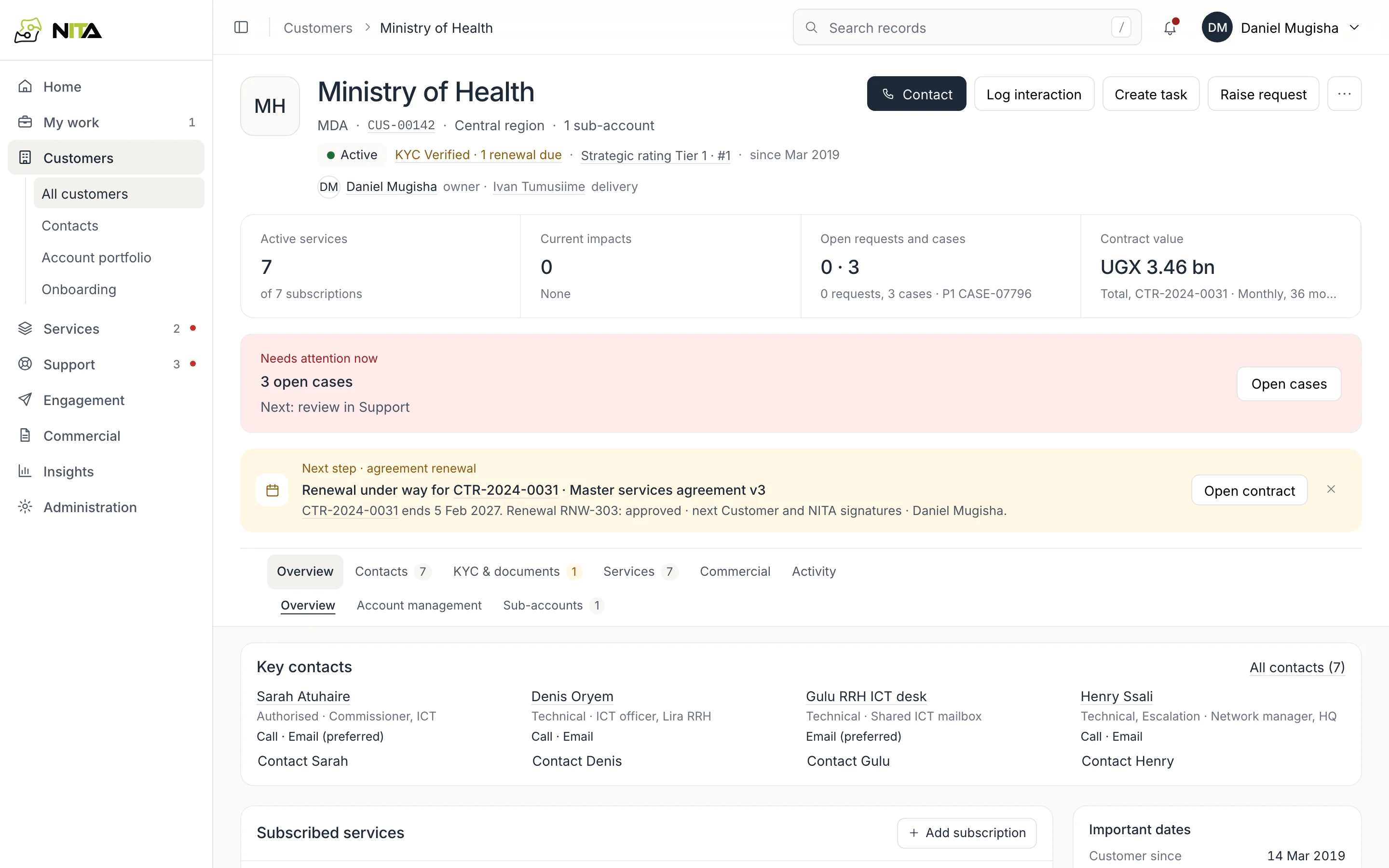
Customer records
Each organisation has one record: sites, subscribed services, contacts with their channels and consent, contracts and renewal dates, KYC documents, open cases and requests.
- Tier and strategic rating set case and outage priority
- KYC documents and review dates on the customer
- Contact roles: authorised, technical, escalation
- Account portfolio per account manager
Requests and delivery
Service requests and fulfilment
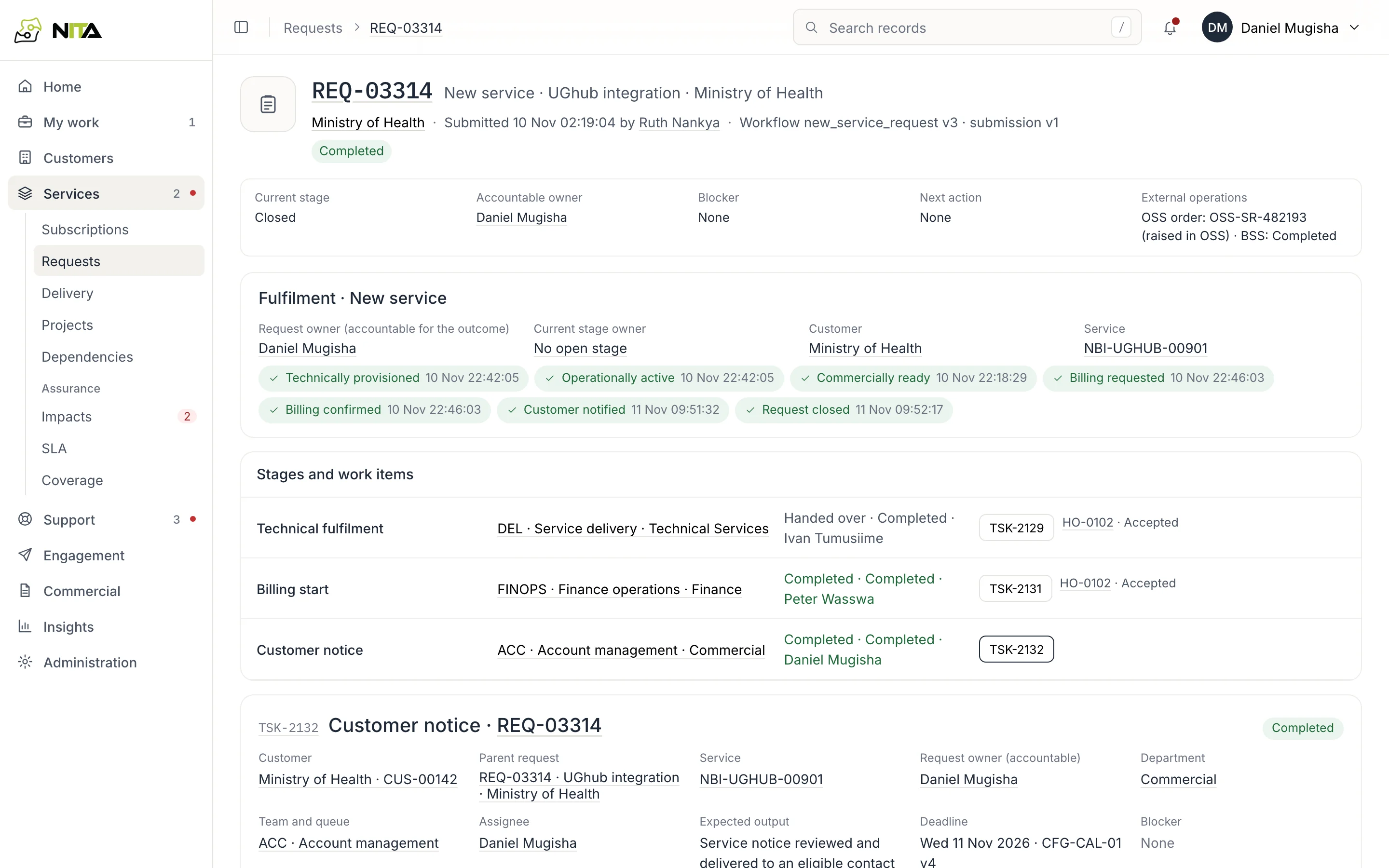
A new service, upgrade, move or cessation is a request with an accountable owner. Approvals route by configured authority. Fulfilment stages are owned by teams, reviewed by a second person and handed over with acceptance.
- Current stage, owner, blocker and next action on every request
- Milestones: provisioned, active, billing requested and confirmed, customer notified
- OSS and BSS references validated on entry
- Closure requires every milestone
Impacts
Outages and planned work
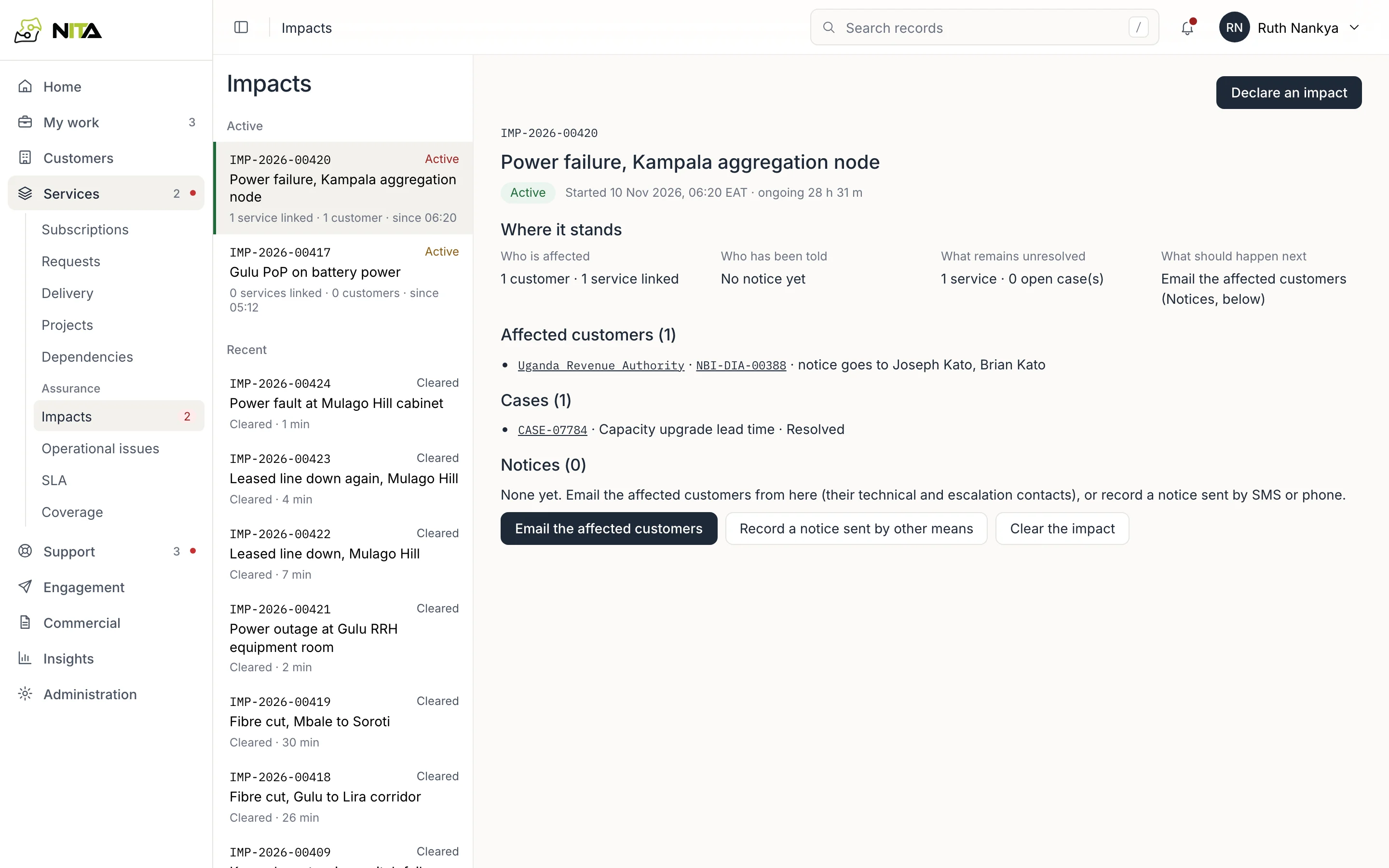
An impact records one event, such as a fibre cut or a power failure, with the services it affects. Affected customers are derived from those services. Notices, cases and restoration are recorded on the impact.
- Affected customers and their notice contacts listed
- Notices by email, or recorded when sent by phone or SMS
- Customer cases linked to the impact
- Duration counted as downtime in the SLA
SLA
SLA and availability
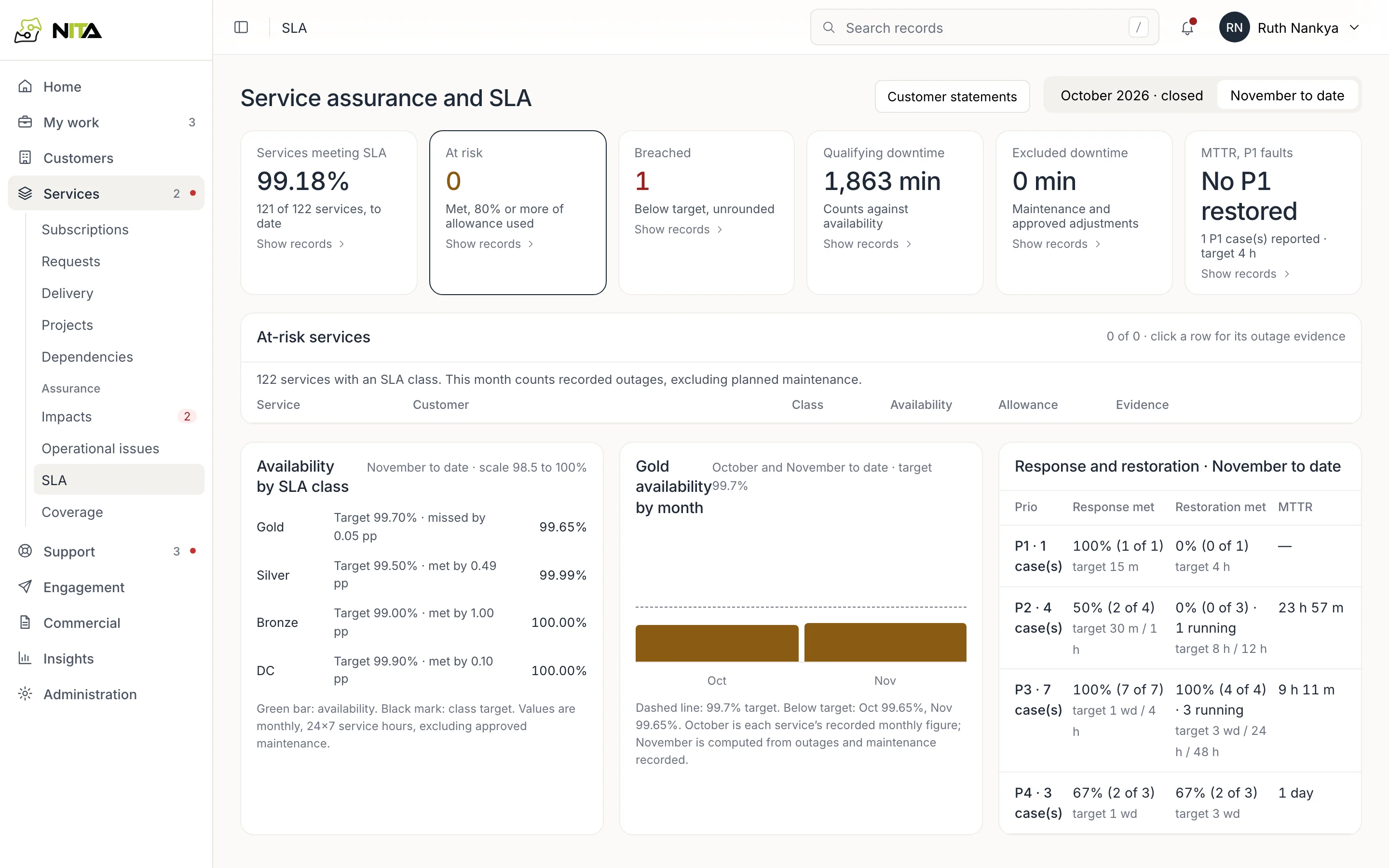
Availability per service is calculated from recorded outages over the service hours of its SLA class, excluding approved maintenance. At-risk and breached services are listed with the outages counted.
- Gold, Silver, Bronze and DC classes
- Response and restoration targets per priority
- Excluded downtime requires an approved reason
- Monthly SLA statement per customer
Cases
Fault and enquiry cases
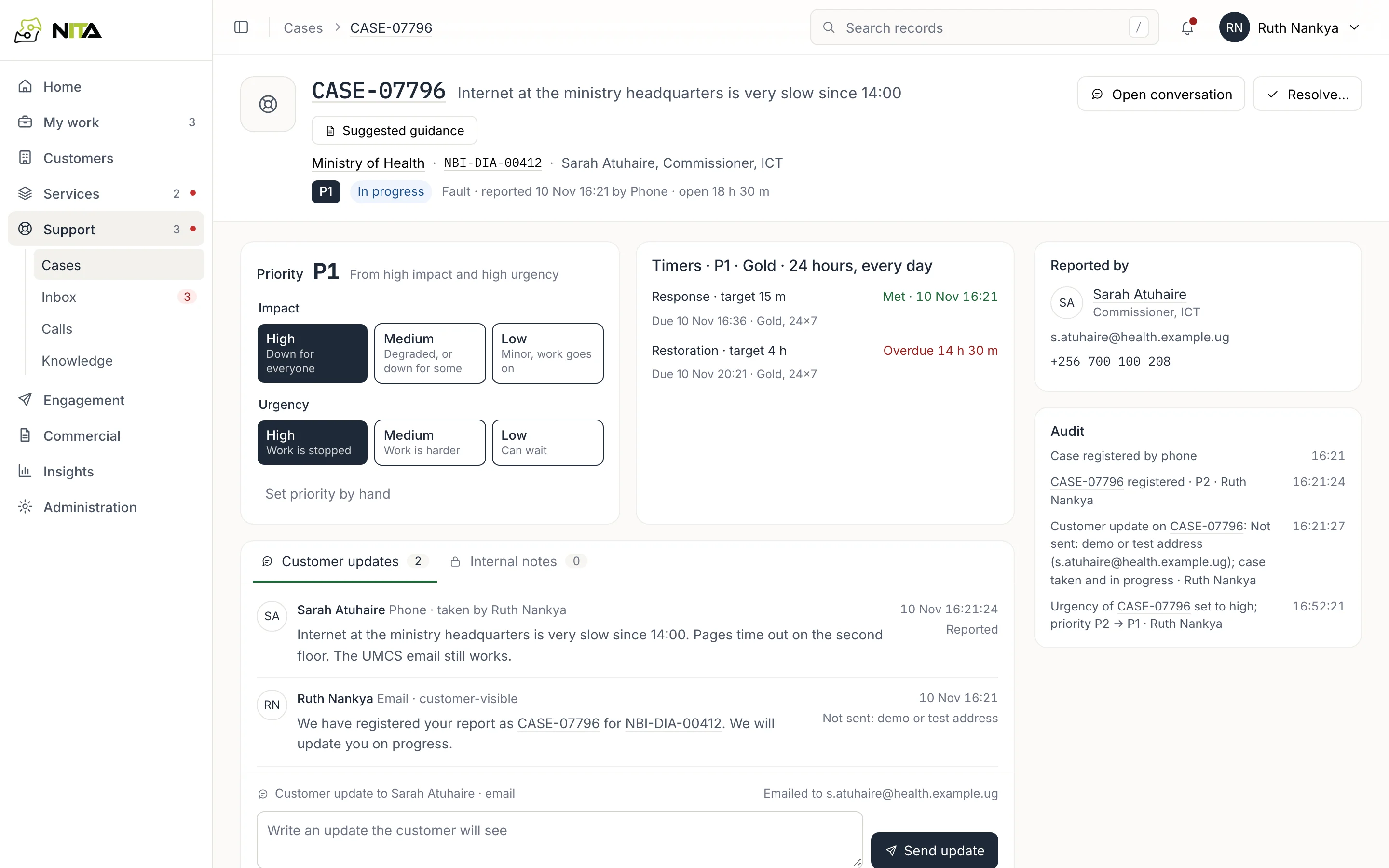
Case priority is set from impact and urgency. Response and restoration timers follow the service's SLA class and hours. Customer updates and internal notes are recorded separately on the case.
- P1 to P4 from impact and urgency; manual changes audited
- Timers in the service's working hours
- Updates sent to the reporter on their channel
- Escalation to ITSM with its incident reference
Inbox and calls
WhatsApp, email and calls
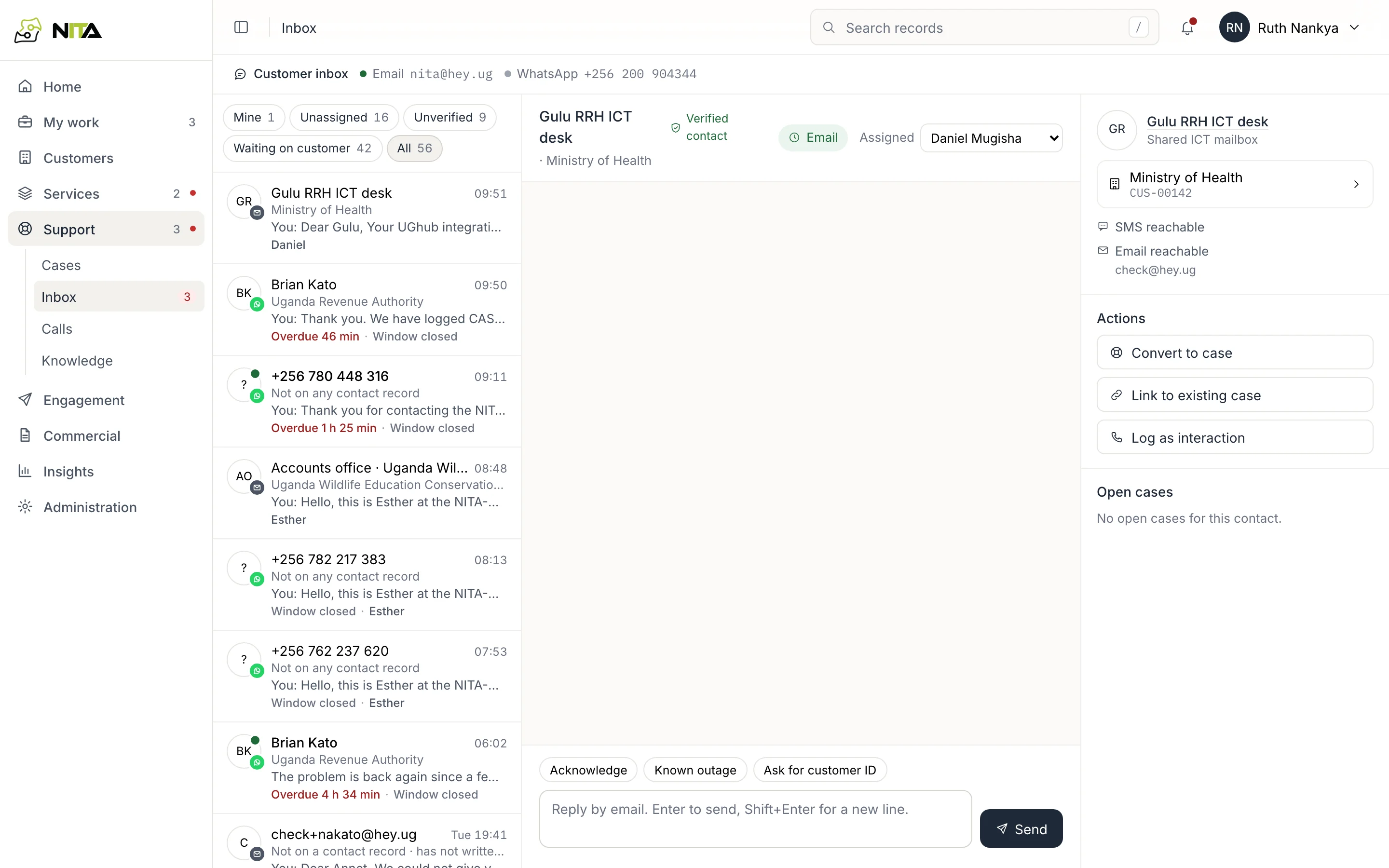
Messages from WhatsApp and email arrive in one inbox and are matched to contacts by phone number or address. Service details stay hidden from senders who are not on a contact record.
- Reply targets: 15 minutes for WhatsApp, one day for email
- WhatsApp 24-hour window and consent enforced
- Convert a conversation to a case or link it to one
- Browser calling with call-backs
Commercial
Contracts, renewals and transactions
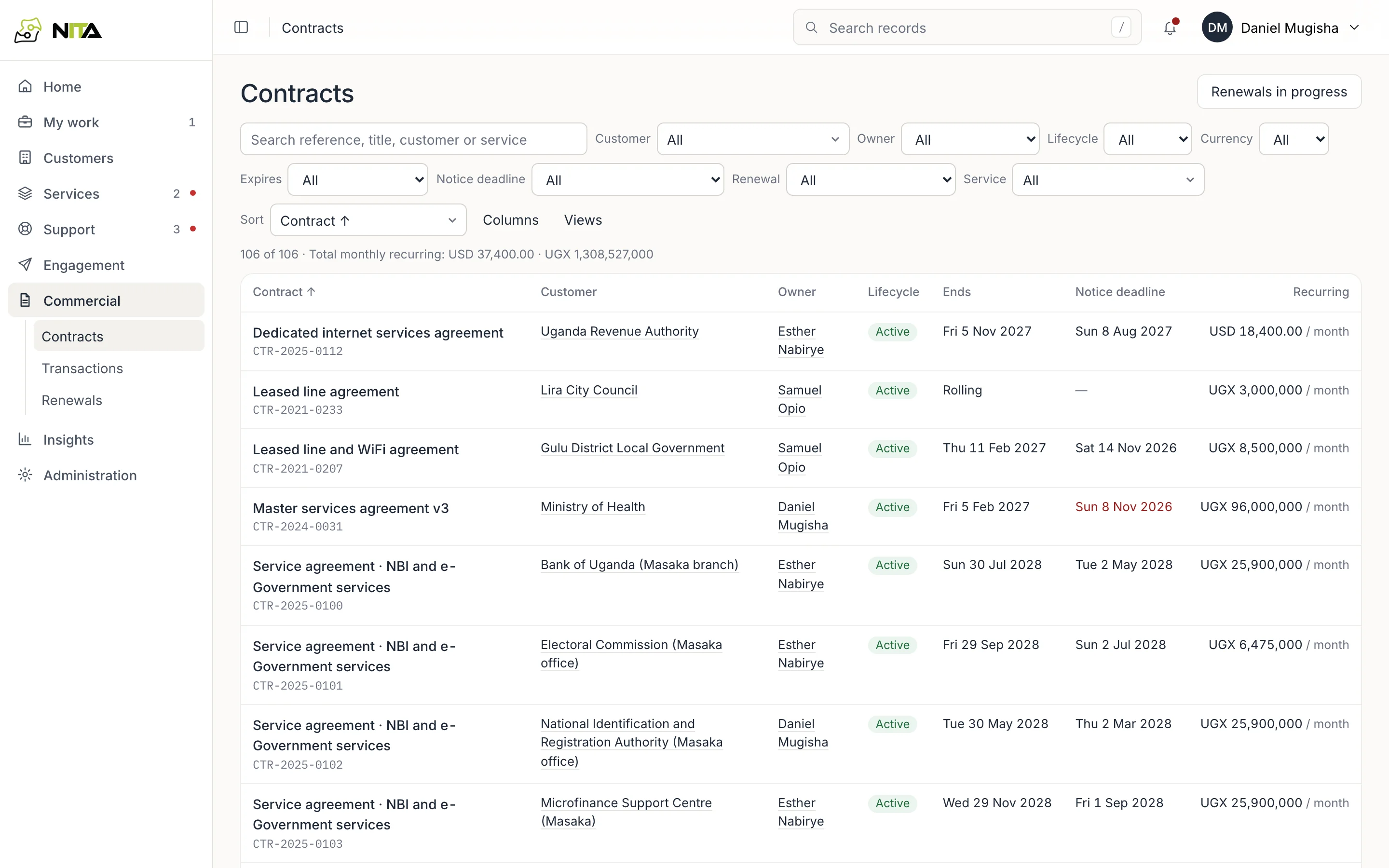
Contracts hold the terms for each service. Renewals are tracked by notice and end date, with reminders to the customer's authorised contacts. Transactions list invoices and payments.
- Renewal pipeline by expiry date
- Payment reminders and statements
- Billing starts from confirmed BSS references
Engagement
Campaigns, forms and templates
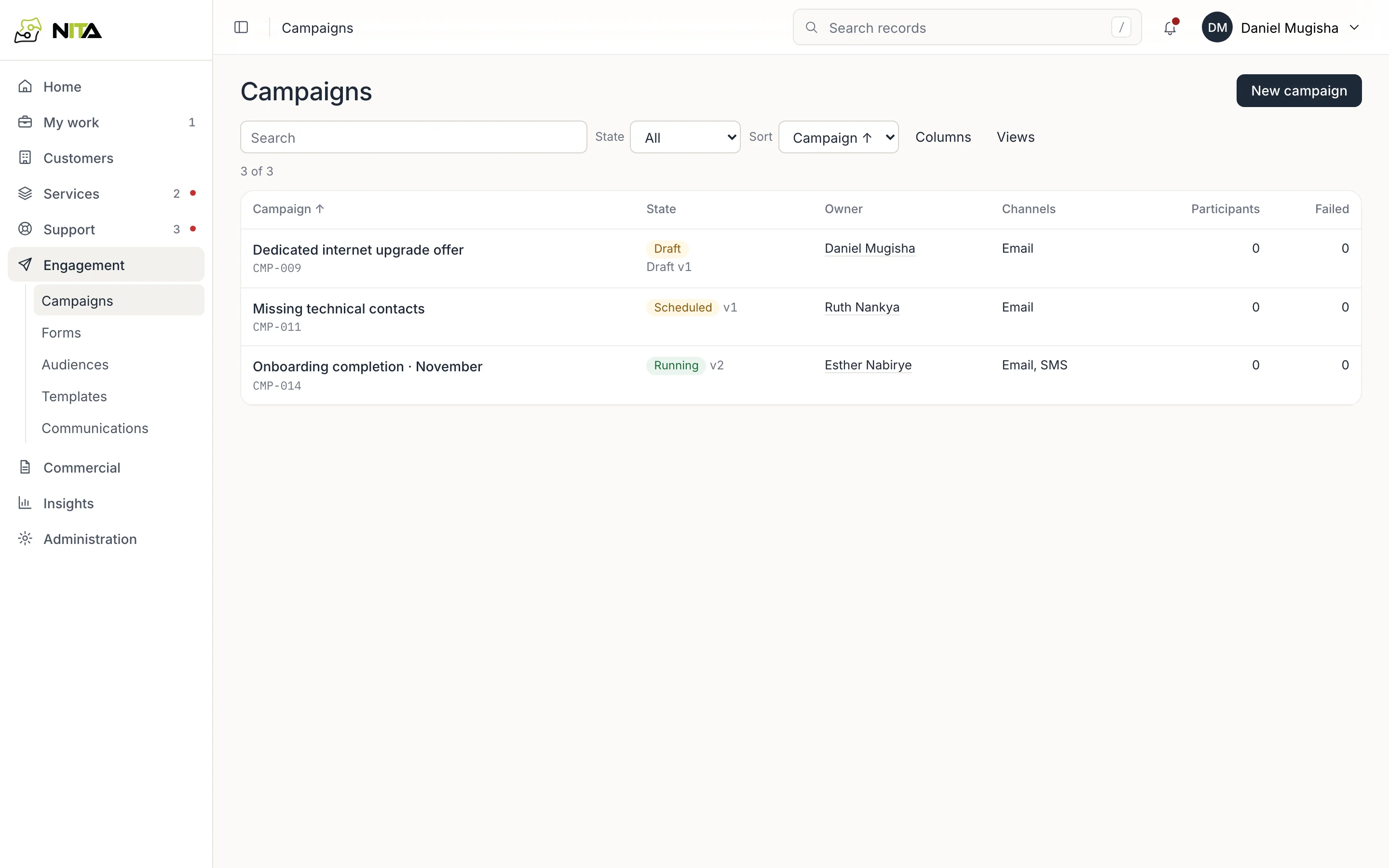
Customer messages are written from templates, reviewed by a second person and sent only to contacts whose consent covers the purpose.
- Audiences from customer and contact fields
- Client forms that update records
- Delivery and reads per recipient
Insights
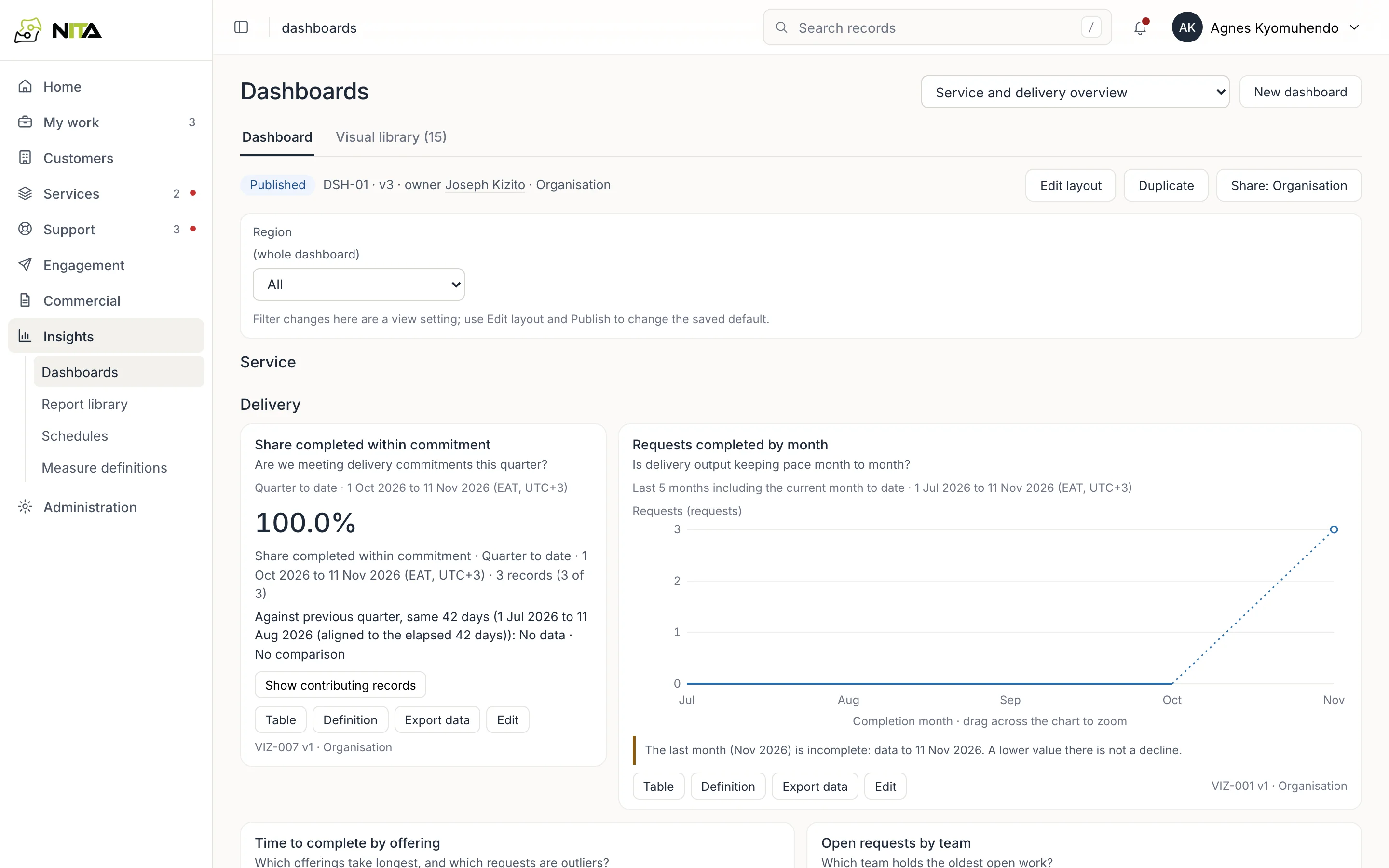
Dashboards and reports
Dashboards use published measure definitions. Each figure shows its period and time zone, compares equal elapsed periods, and lists the records it counts.
- Measure dictionary with owners and versions
- Report library and scheduled email reports
- Incomplete periods labelled
Administration
Configuration
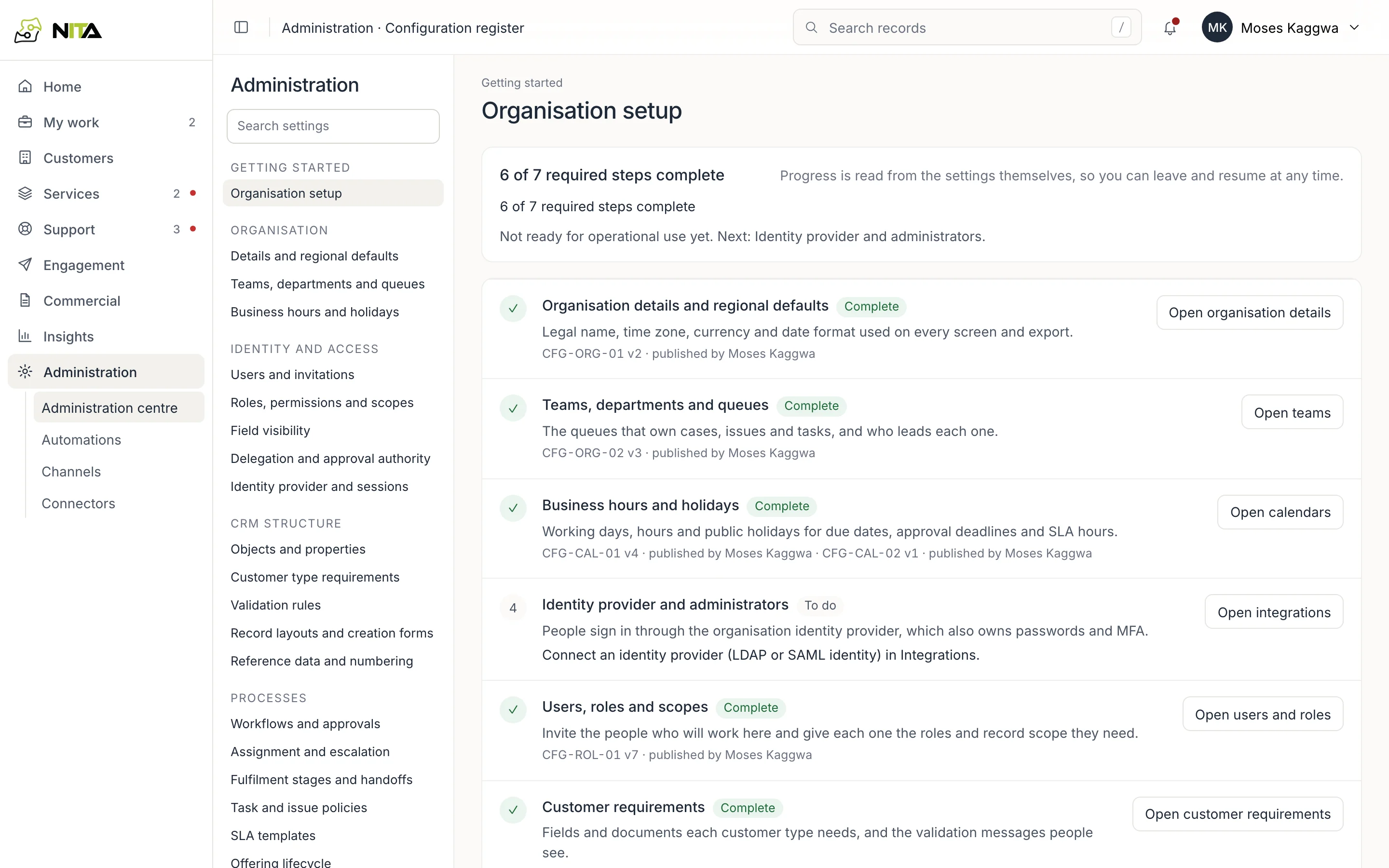
Teams, queues, calendars, roles, approval authority, workflows, SLA templates and field rules are versioned configuration. Changes are drafted, reviewed and published, and the history is kept.
- Setup checklist computed from the configuration
- Approval limits and temporary delegation
- Automations with triggers, owners and run history
- Connectors: OSS, BSS, ITSM, identity, email, WhatsApp
Platform
Platform
Server-side permissions
Every change is checked on the server by role and record scope. Read-only roles cannot write.
Versioned records
Each change is committed against the version it was based on. Outdated edits are refused as conflicts.
Audit chain
Accepted changes are appended to a hash-chained log per organisation that can be verified end to end.
Live updates
Changes appear on every open screen as they are committed.
Connectors
OSS, BSS, ITSM, identity, email and WhatsApp, each with references, retries and recovery tasks.
White label
Your name, logo, calendars, catalogue, SLA classes and approval authority, set as configuration.