 CRM
Impacts
What you will learn
- What an impact records
- Declaring an impact
- Sending and recording notices
- Clearing an impact and the SLA effect
What you need
- A network operations or customer operations sign-in
An impact is one event (fibre cut, power failure, planned maintenance) linked to the services it affects. Affected customers, cases and notices are recorded on it.
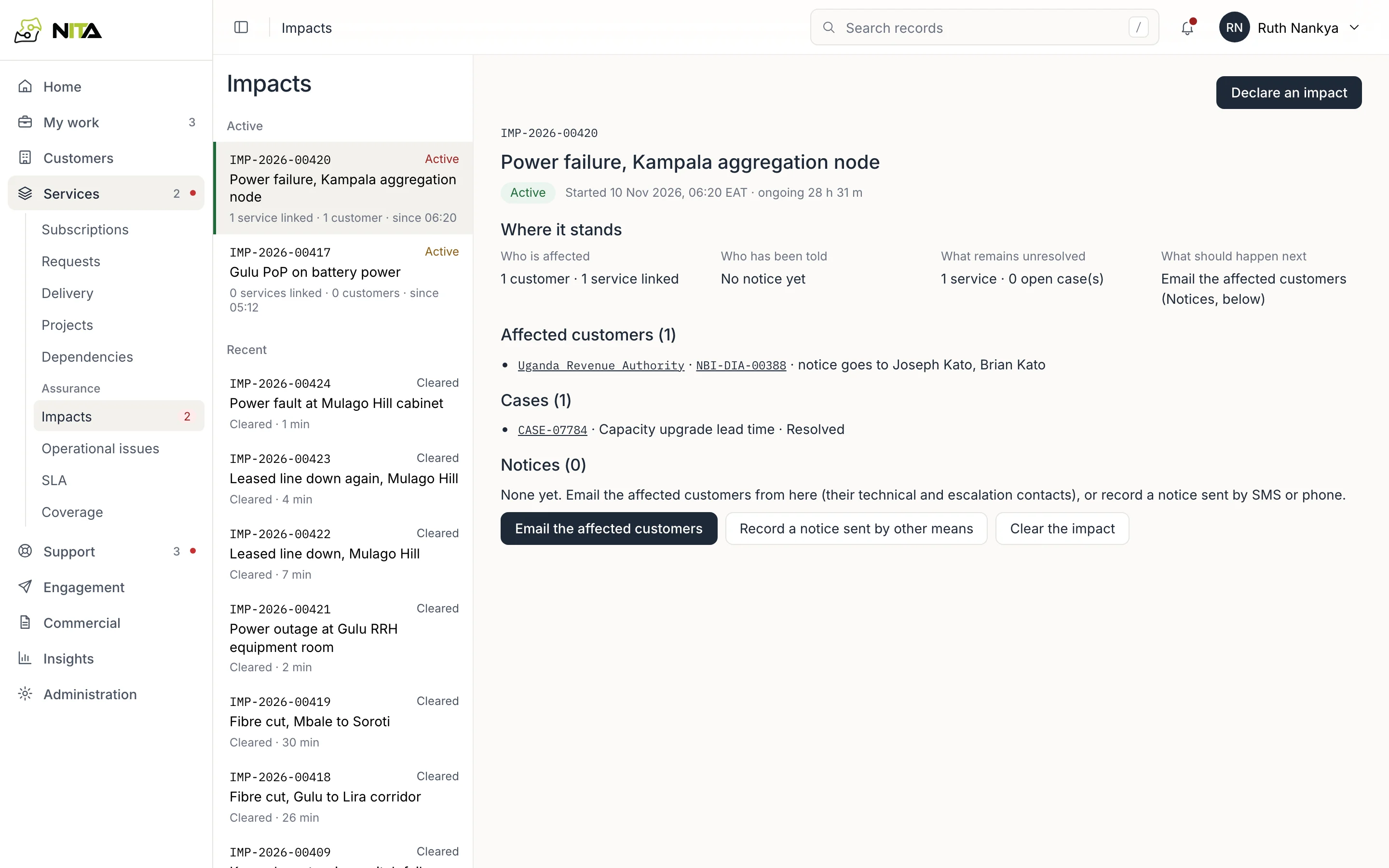
Services → Impacts lists active impacts first, with services and customers affected and duration, then recently cleared impacts.
Impact record
| Field | Content |
|---|---|
| Who is affected | Customers and services linked |
| Who has been told | Notices sent |
| What remains unresolved | Services still affected, open cases |
| What should happen next | Next action |
Below: affected customers with the contacts a notice goes to, linked cases and notices sent.
Declare an impact
Declare an impact:
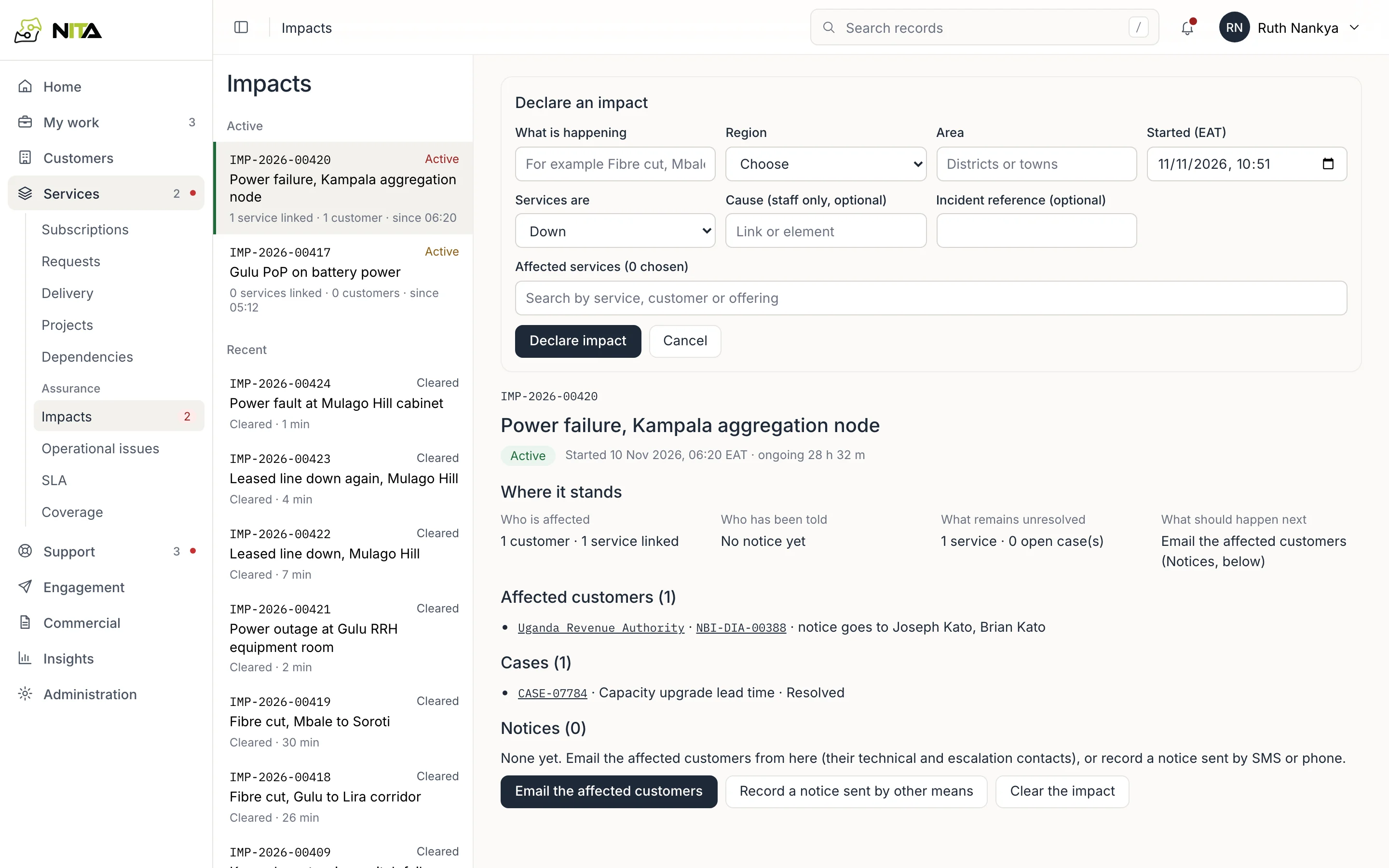
- What is happening, for example Fibre cut, Mbale to Soroti.
- Region and area.
- Started (EAT).
- Services are: down or degraded.
- Cause (staff only) and incident reference (optional).
- Affected services: search by service, customer or offering.
Affected customers are derived from the linked services.
Notices
Email the affected customers sends the notice to each affected customer's technical and escalation contacts. Delivery is recorded per recipient on the impact.
Record a notice sent by other means records a notice given by SMS or phone.
Clear the impact
Clear the impact when service is restored. The impact moves to Recent with its duration.
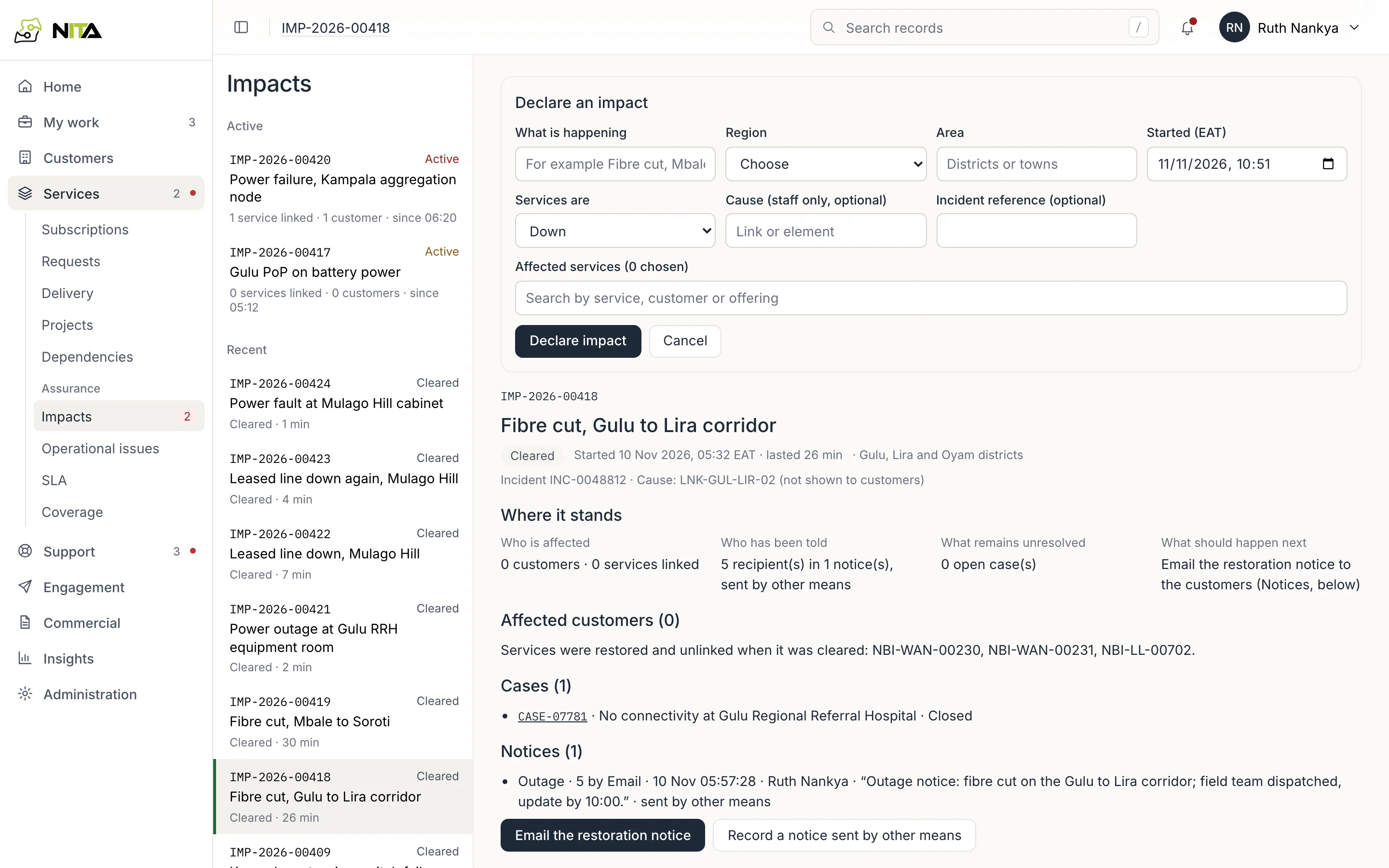
The duration is counted as qualifying downtime for each linked service, unless the impact is approved maintenance. See SLA and availability.