 CRM
Example request
What you will learn
- The stages of a new-service request
- How approvals are routed
- Recording fulfilment results, evidence and review
- Handover acceptance
- Billing start from recorded values
- Closure conditions
What you need
- Sign-ins for account manager, approver, service delivery and finance (all in the demo)
REQ-03314: Ministry of Health, UGhub integration at the headquarters site, 36-month term, Silver SLA class.
| Stage | Owning team | Complete when |
|---|---|---|
| Approvals | Technical and commercial approvers | Both approvals given |
| Technical fulfilment | Service delivery (DEL) | OSS order, activation date and test result recorded and reviewed |
| Billing start | Finance operations (FINOPS) | BSS references recorded and reviewed |
| Customer notice | Account management (ACC) | Notice reviewed and delivered |
The account manager who raises the request is its accountable owner until closure. Each stage is owned by the team doing the work.
Raise the request
On the customer record choose Raise request, or go to Services → Requests.
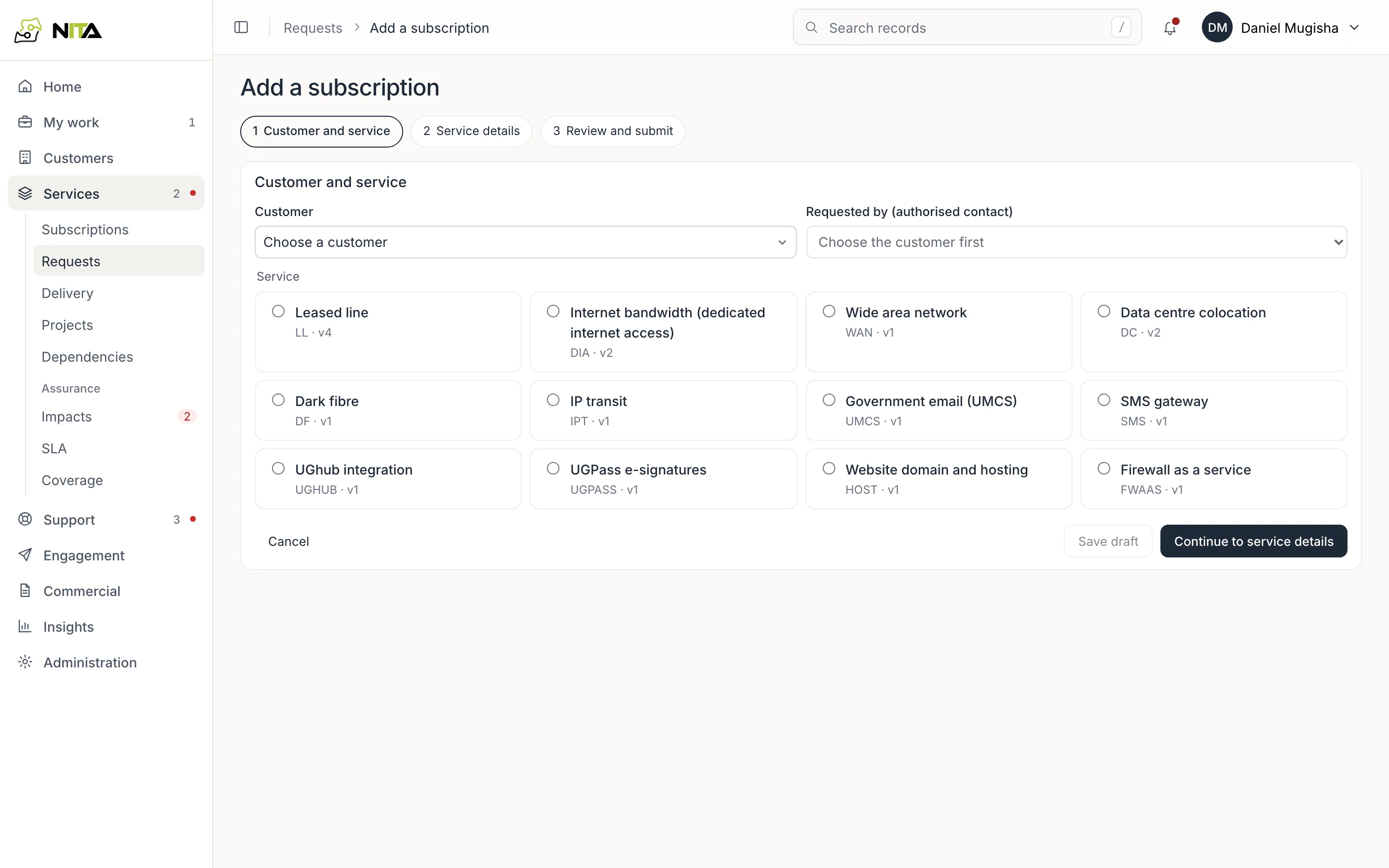
Select the offering, site, term and SLA class, and attach the documents the offering requires (for UGhub, a site access letter). The request records the submitter and the workflow version.
Approvals
Technical approval comes first, then commercial approval.
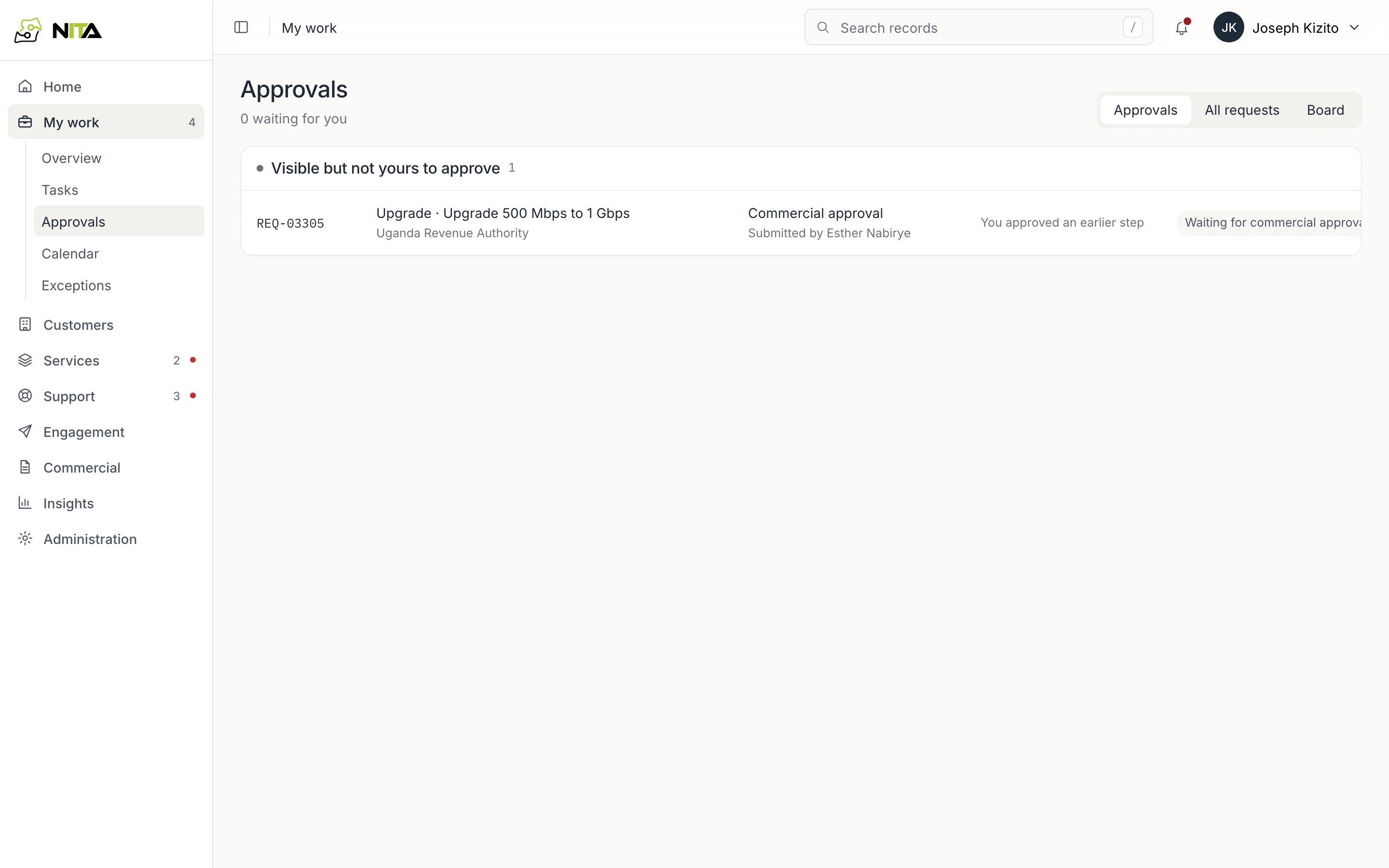
An approval is assigned to a person who:
- holds the approver role, or management for management approvals;
- holds a published grant covering the approval type and value;
- is in the responsible team and available.
People on leave are not assigned; the request shows On leave until with the date. Nobody approves a step they performed.
Grants and limits are set in Administration → Delegation and approval authority. The server refuses approvals outside them.
When both approvals are given, the service ID is issued (NBI-UGHUB-00901) with the service not yet live.
Technical fulfilment
Approval creates the delivery work in the service delivery queue.
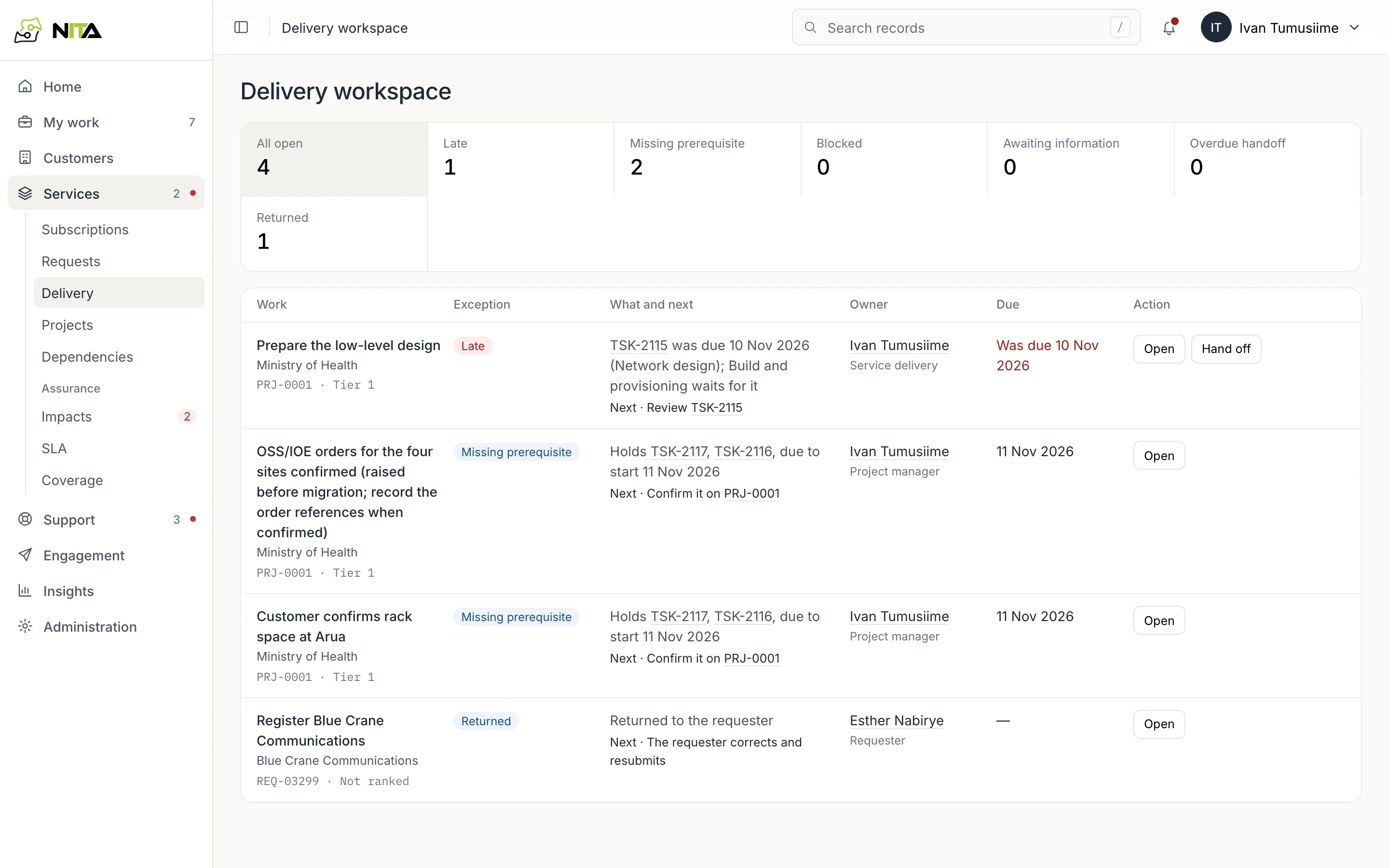
The engineer records:
- OSS order (
OSS-SR-482193; input such asoss-sr 482193is stored in this form), - activation date,
- circuit,
- acceptance test result,
and adds evidence: a document attached to the request, for example the acceptance test report.
Submit for review sends the result to a second person. On approval the request is marked technically provisioned and operationally active from the activation date, and the service becomes Active.
Handover to finance
Fulfilment ends with a handover to finance operations. The handover has a deadline and must be accepted by finance. Until acceptance, service delivery remains accountable.
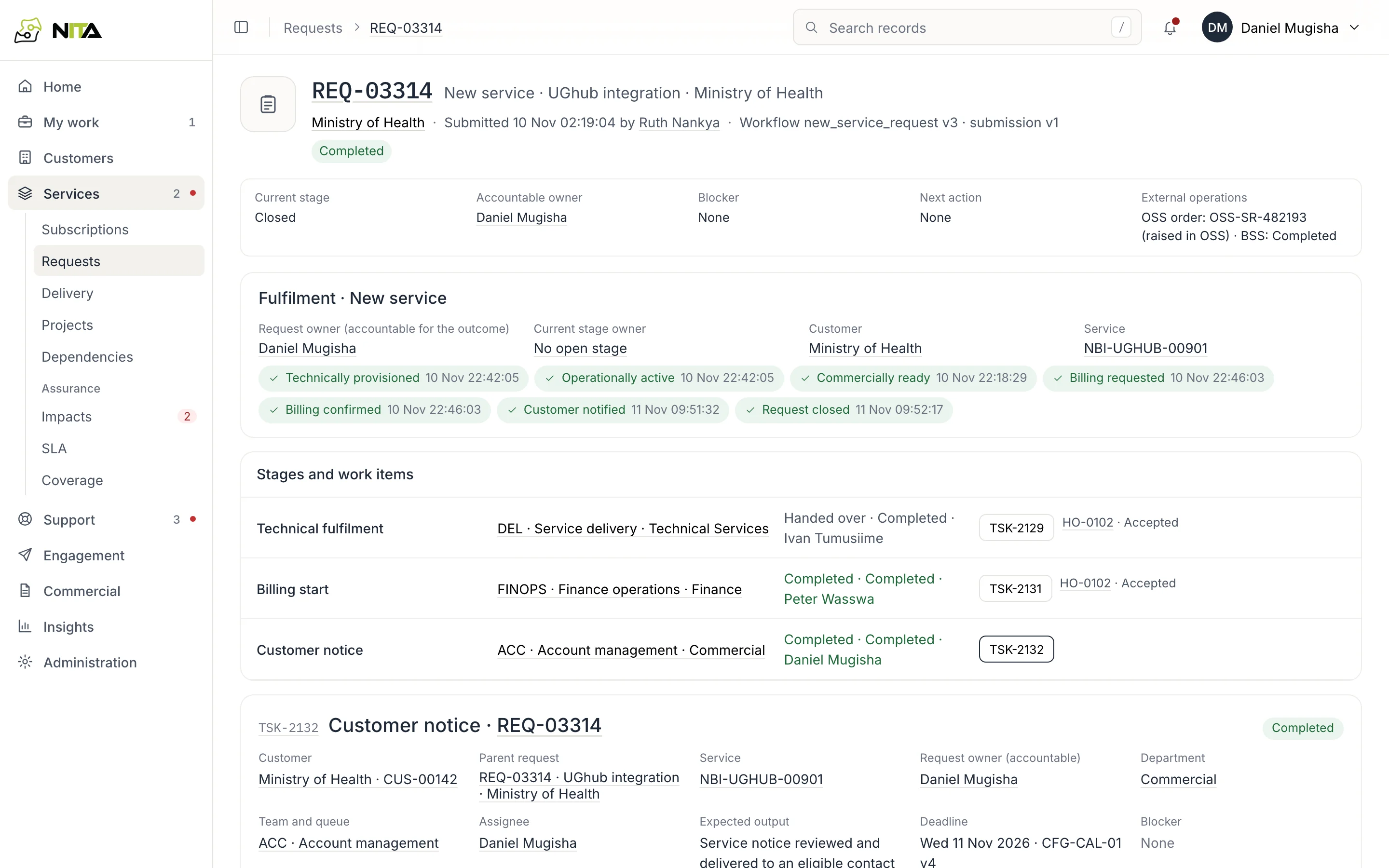
An automation escalates handovers not accepted by their deadline.
Billing start
The billing stage opens with BSS account, product, contract and start date filled in from the customer, contract and activation date. Finance confirms each value, records the charge reference and submits for review.
Values are validated before submission: an unknown product code or another customer's contract is refused with the reason.
After review the request shows billing requested and billing confirmed, and the BSS reference appears under Handoffs and external operations.
Customer notice
The notice stage is queued in account management. The account manager takes it and opens Notice recipients and send:
- Recipients: technical and authorised contacts, with preferred channel and consent for request progress.
- Content: the exact text.
- Review: approval by someone other than the author.
After approval, Send by email sends the notice and records delivery per recipient. A notice given another way, such as a phone call, is recorded with what was said and the evidence.
Closure
The request closes when every stage is complete and every milestone is recorded: provisioned, active, commercially ready, billing requested, billing confirmed, customer notified.
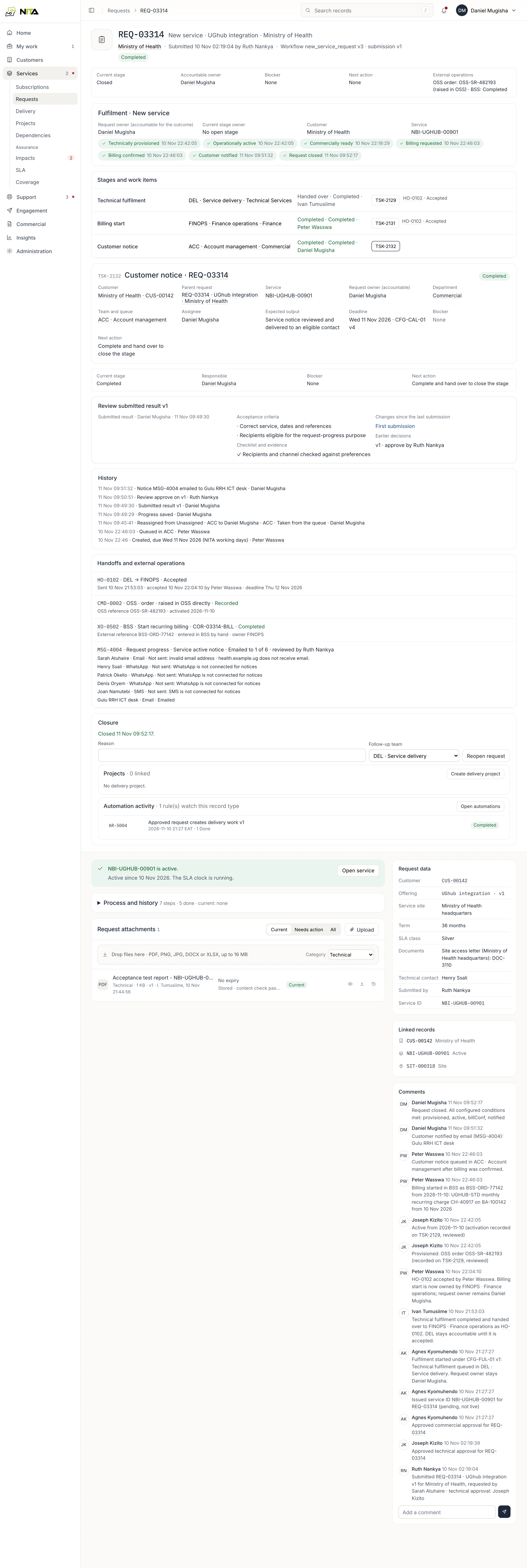
If a condition is missing, Close request names it, for example Customer notified not yet recorded, and the request stays open.
Next: SLA and availability.