 CRM
Case list
What you will learn
- Case registration
- Priority from impact and urgency
- Response and restoration timers
- Customer updates and internal notes
What you need
- A customer operations sign-in
Support → Cases lists open cases with priority, customer and tier, age, owner, timer and state.
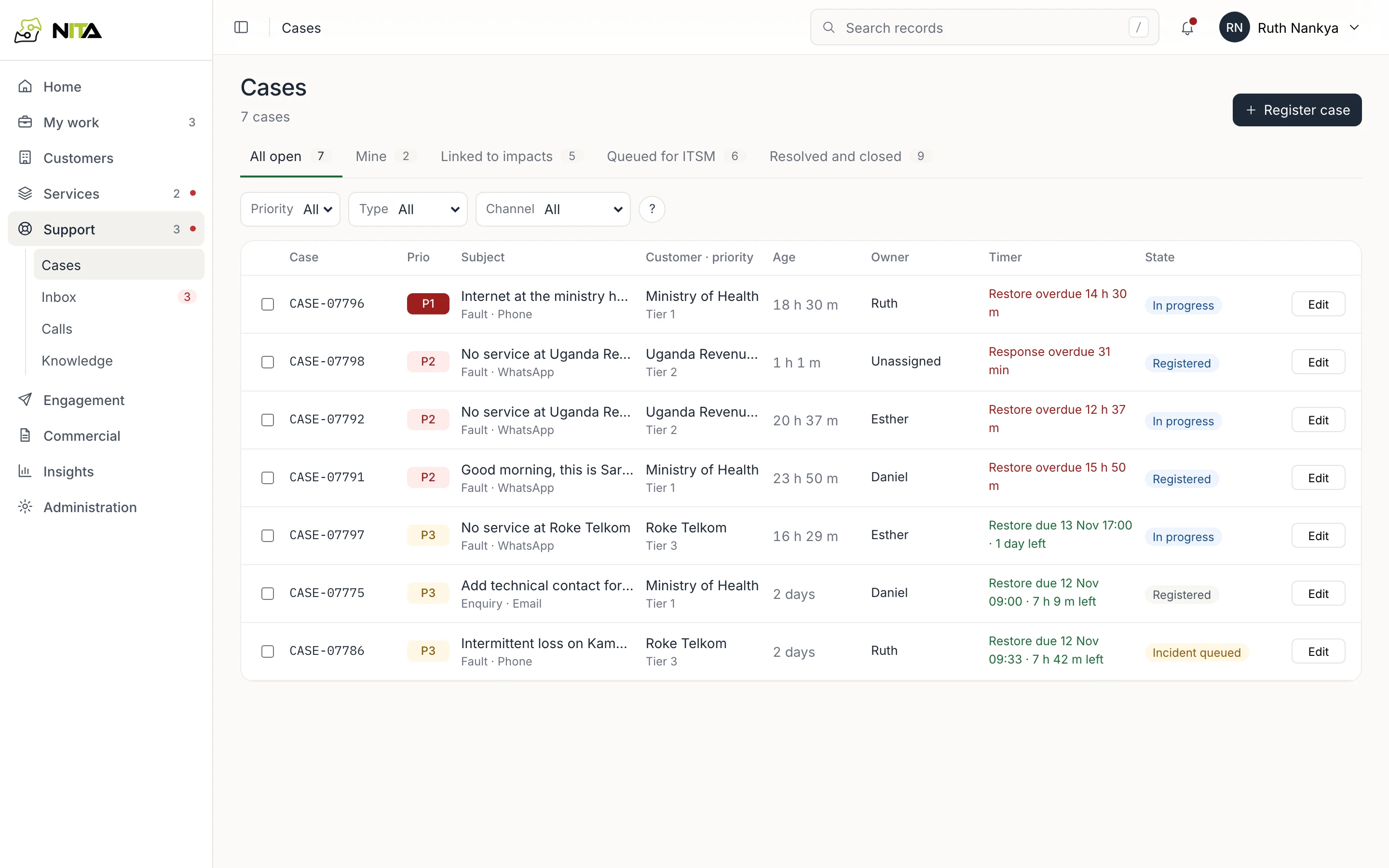
Tabs: All open, Mine, Linked to impacts, Queued for ITSM, Resolved and closed. The timer shows time left to the restoration target, or time overdue.
Register a case
Register case has five steps: Customer, Service, Details, Review, Registered.
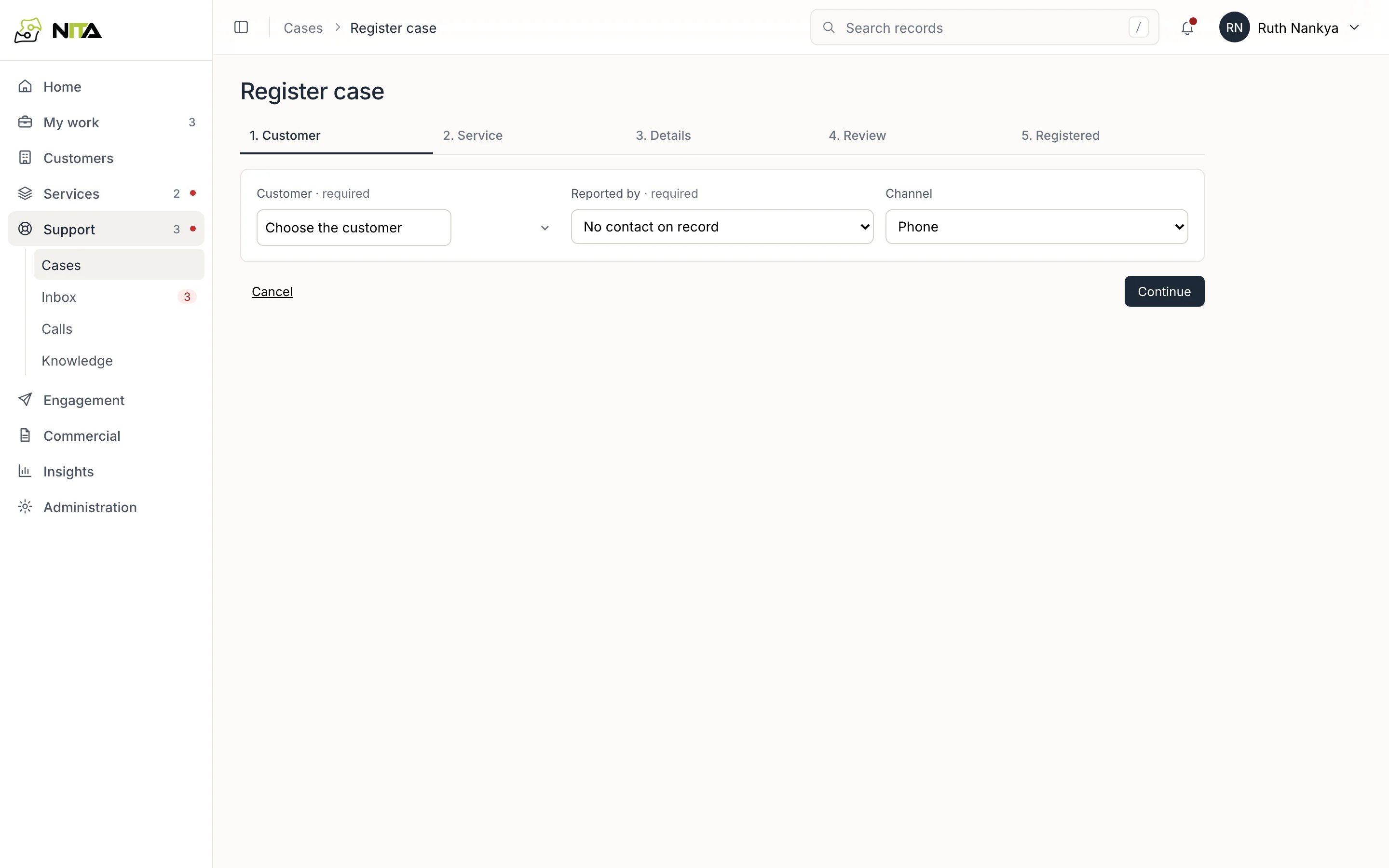
- Customer: organisation, reporting contact (from the customer's contacts) and channel.
- Service: the affected service. This sets the SLA class and service hours.
- Details: the reported problem.
- Review, then register.
A case created from an inbox conversation starts with customer, contact and channel filled in. See Inbox.
Priority
Priority is set from two fields:
- Impact: down for everyone; degraded or down for some; minor.
- Urgency: work stopped; work harder; can wait.
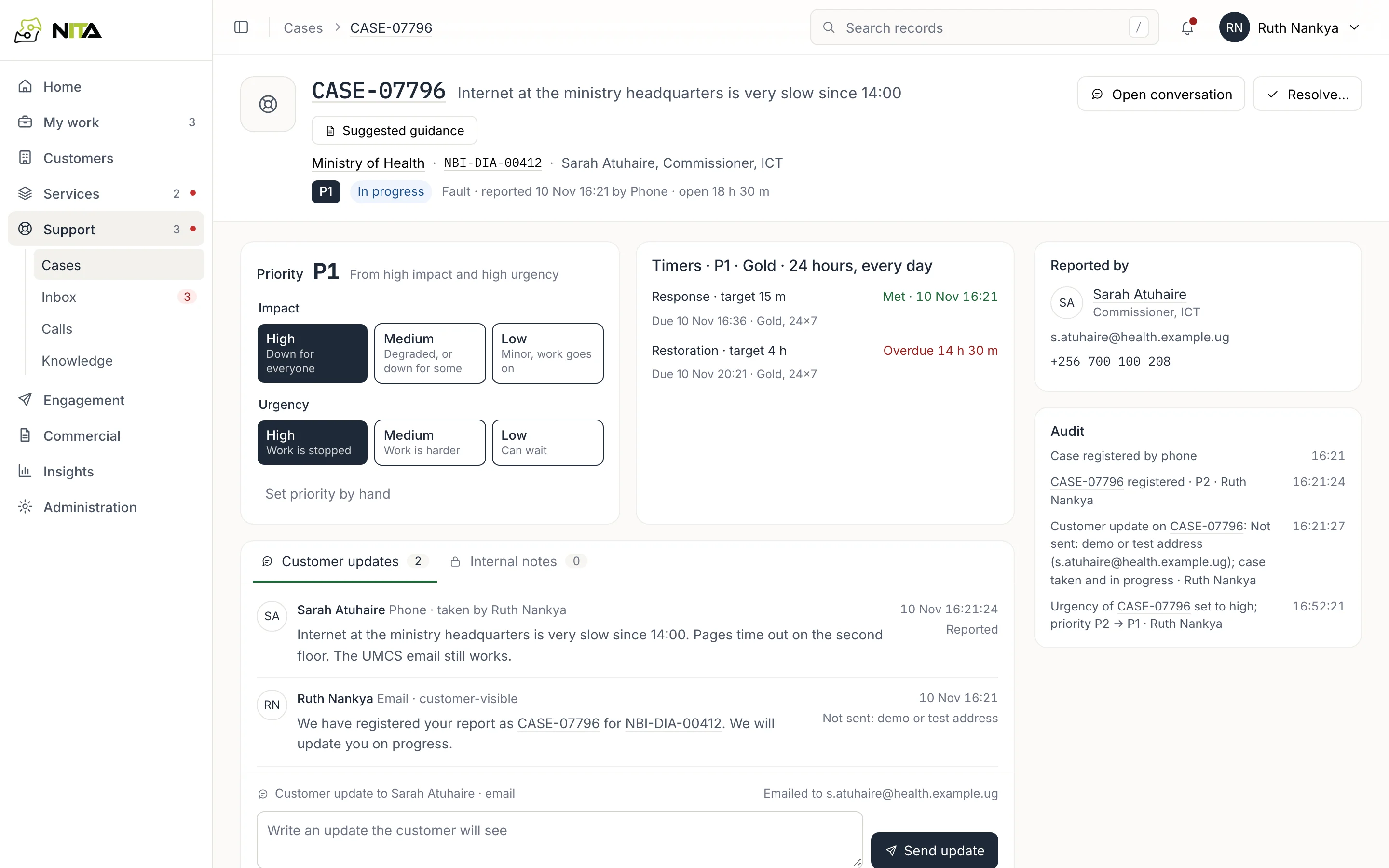
High impact with high urgency is P1. Set priority by hand overrides it; the change is written to the case audit with the user's name.
Timers
Timers shows response and restoration targets for the priority and SLA class, the due time, and met, due or overdue. Gold services run 24 hours a day. Other classes use the service's business hours and the published holiday calendar.
The SLA report uses the same calendar as the case timers.
Customer updates
Customer updates and Internal notes are separate. An update written in the box and sent with Send update goes to the reporter on their channel and is recorded with its delivery outcome. Internal notes are not sent.
Resolve
Resolve… records the resolution and restoration time. Cases linked to an impact are resolved with the impact; see Outages.