 CRM
Setup checklist
What you will learn
- The setup checklist
- Teams and queues
- Business hours and holidays
- Approval authority
- Automations
What you need
- An administrator sign-in
Administration → Administration centre → Organisation setup lists the required configuration: organisation details and regional defaults, teams and queues, business hours and holidays, identity provider and administrators, users and roles, customer requirements.
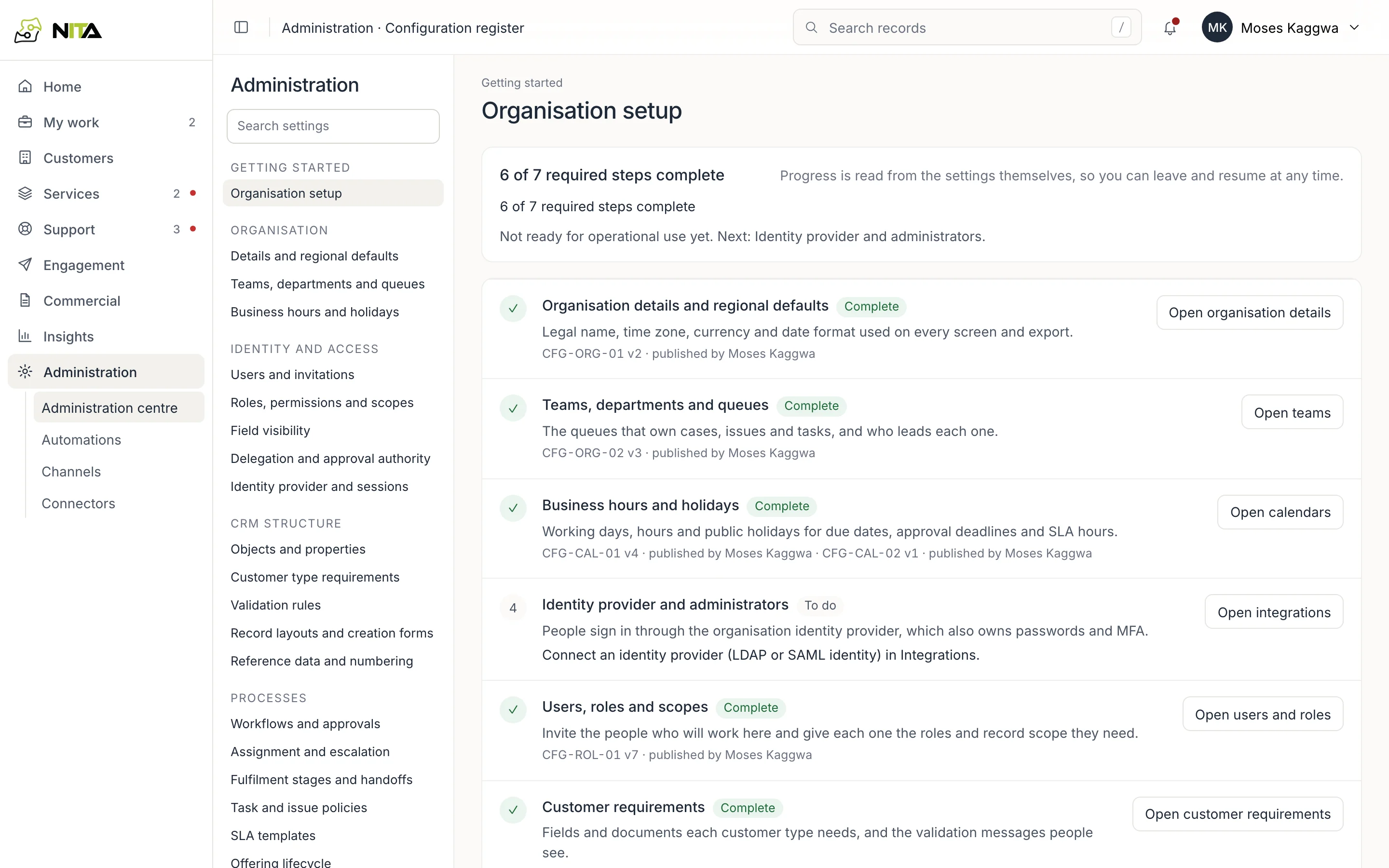
Completion is computed from the configuration. Each item shows its configuration ID, version and publisher.
Teams and queues
Teams, departments and queues defines the queues that own cases, issues and tasks, and each team's lead.
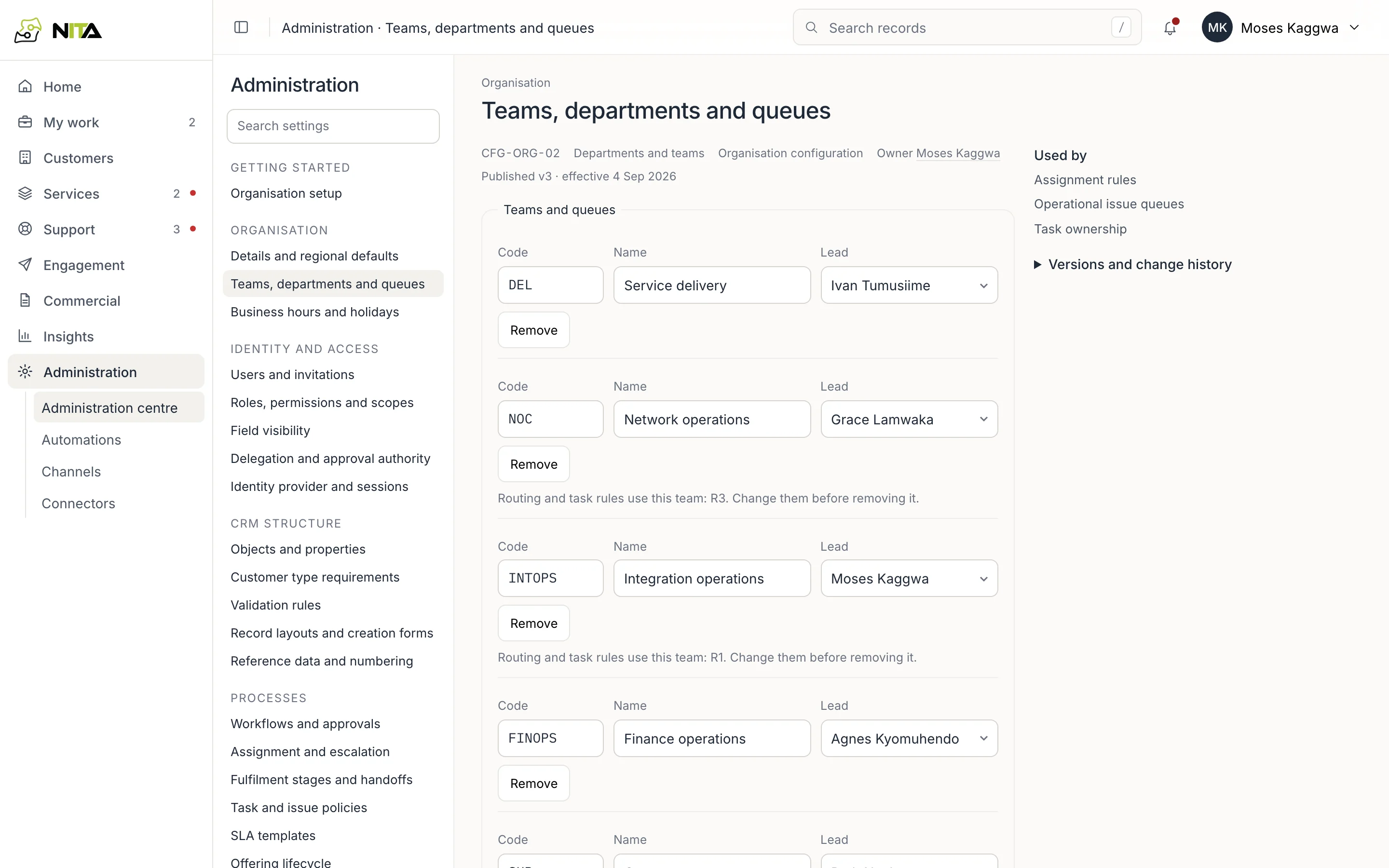
Work is assigned to these queues, for example delivery work to service delivery and billing start to finance operations.
Business hours and holidays
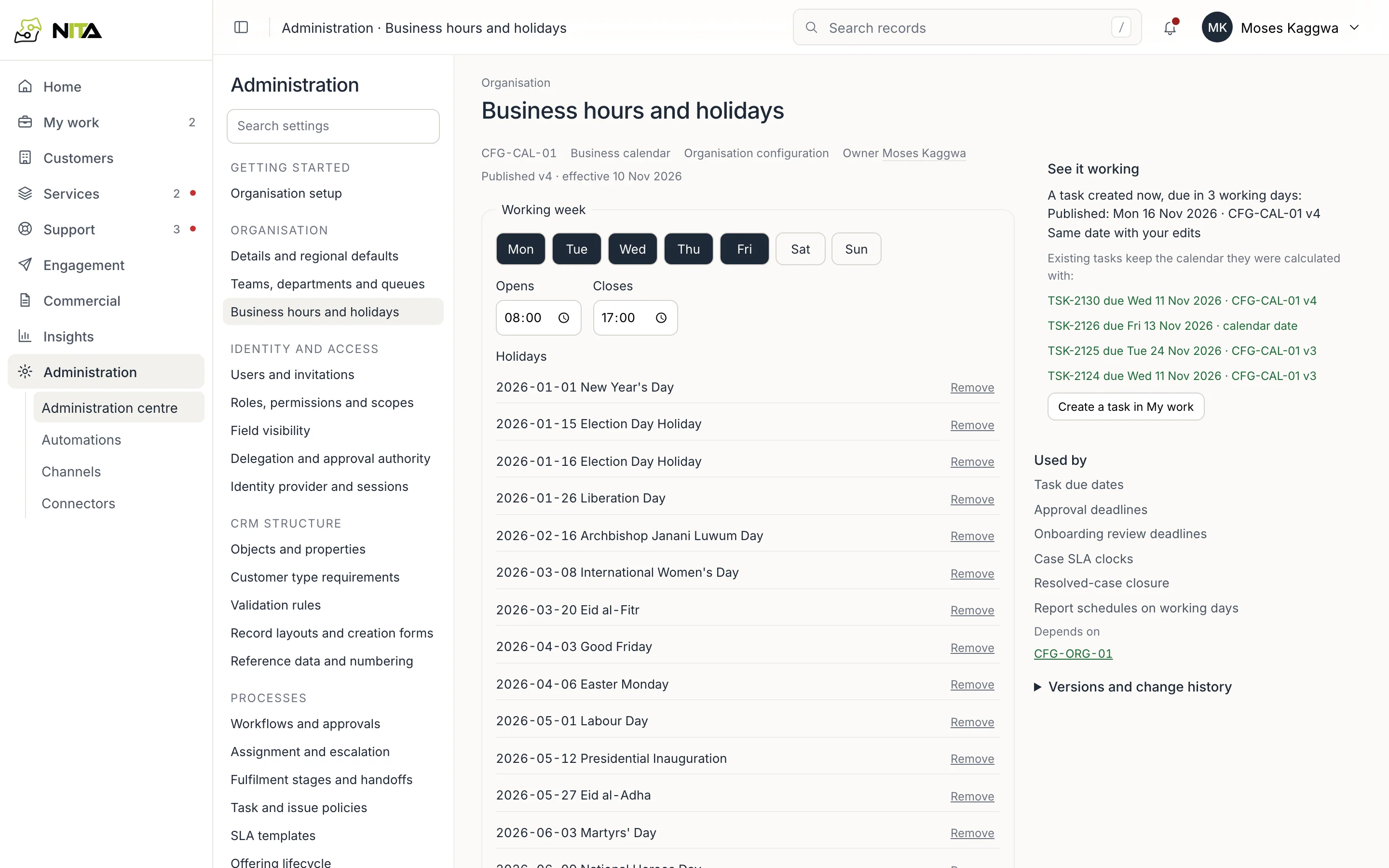
Working days, hours and public holidays. The calendar is used for due dates, approval deadlines, case timers and SLA service hours. Publish next year's holidays before year end.
Approval authority
Delegation and approval authority lists approval rights and limits per person and creates temporary delegations.
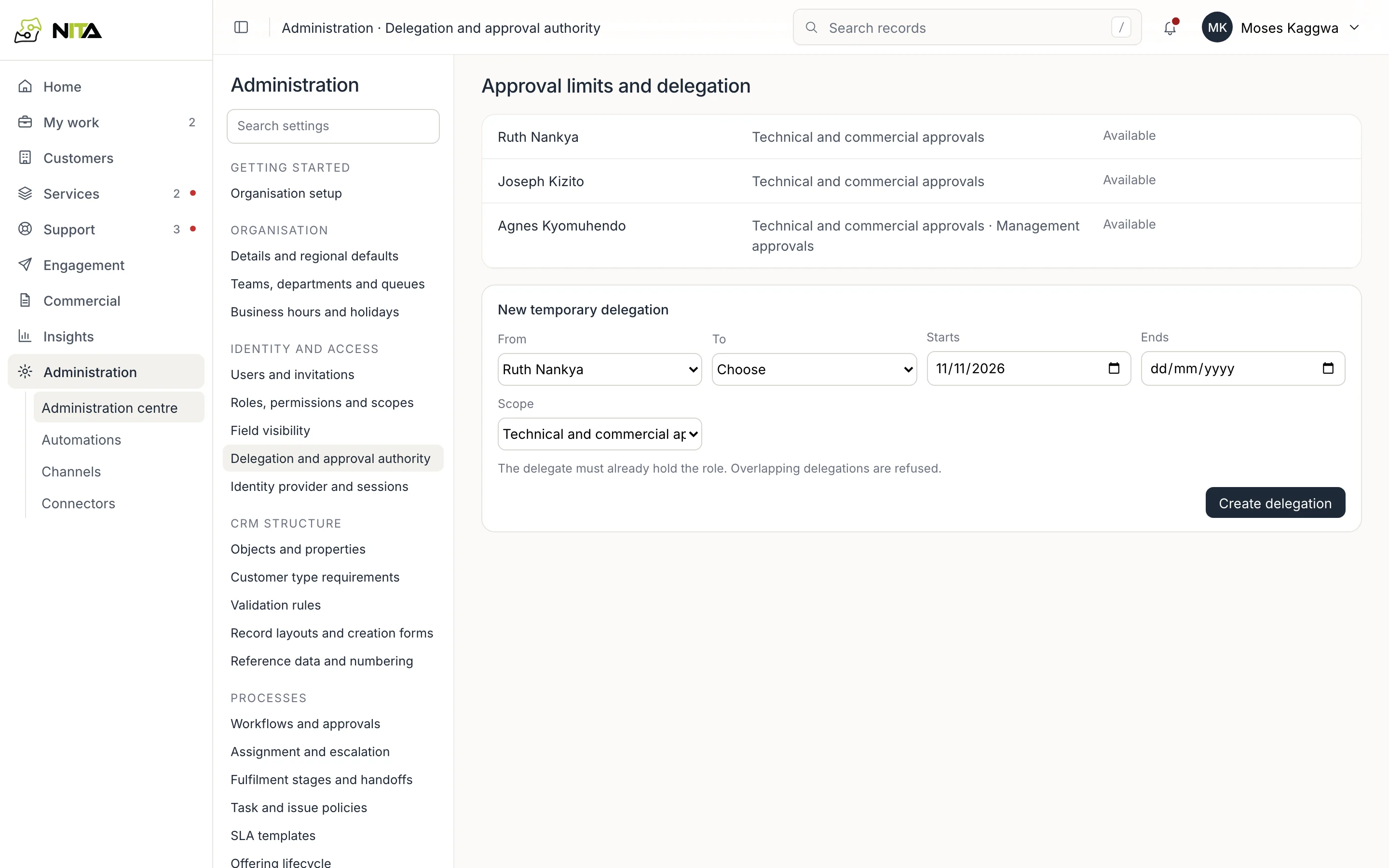
See Approvals.
Automations
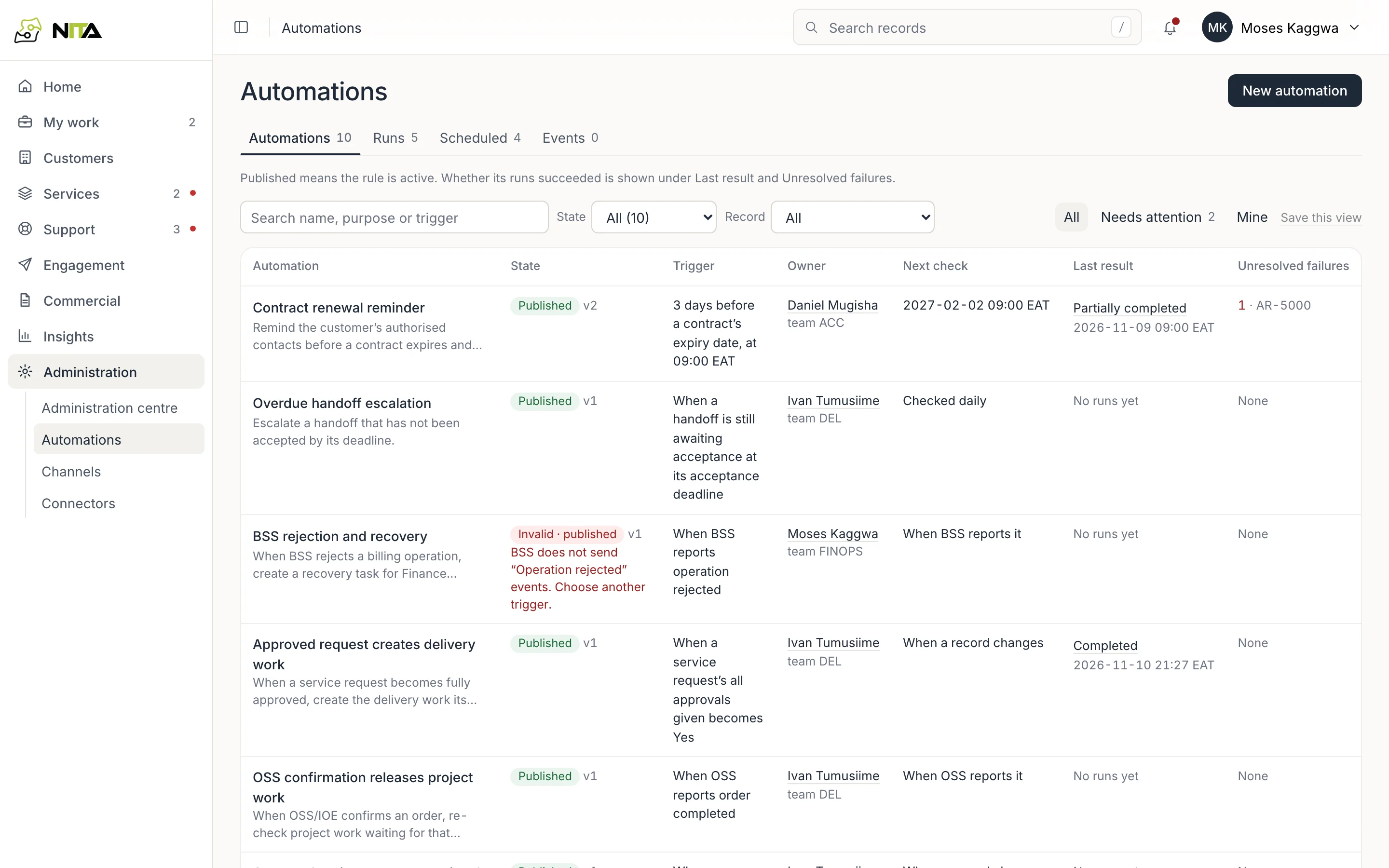
Administration → Automations lists rules with state, trigger, owner, next check, last result and unresolved failures.
An automation has When, Schedule, If, Then, Connections and Runs.
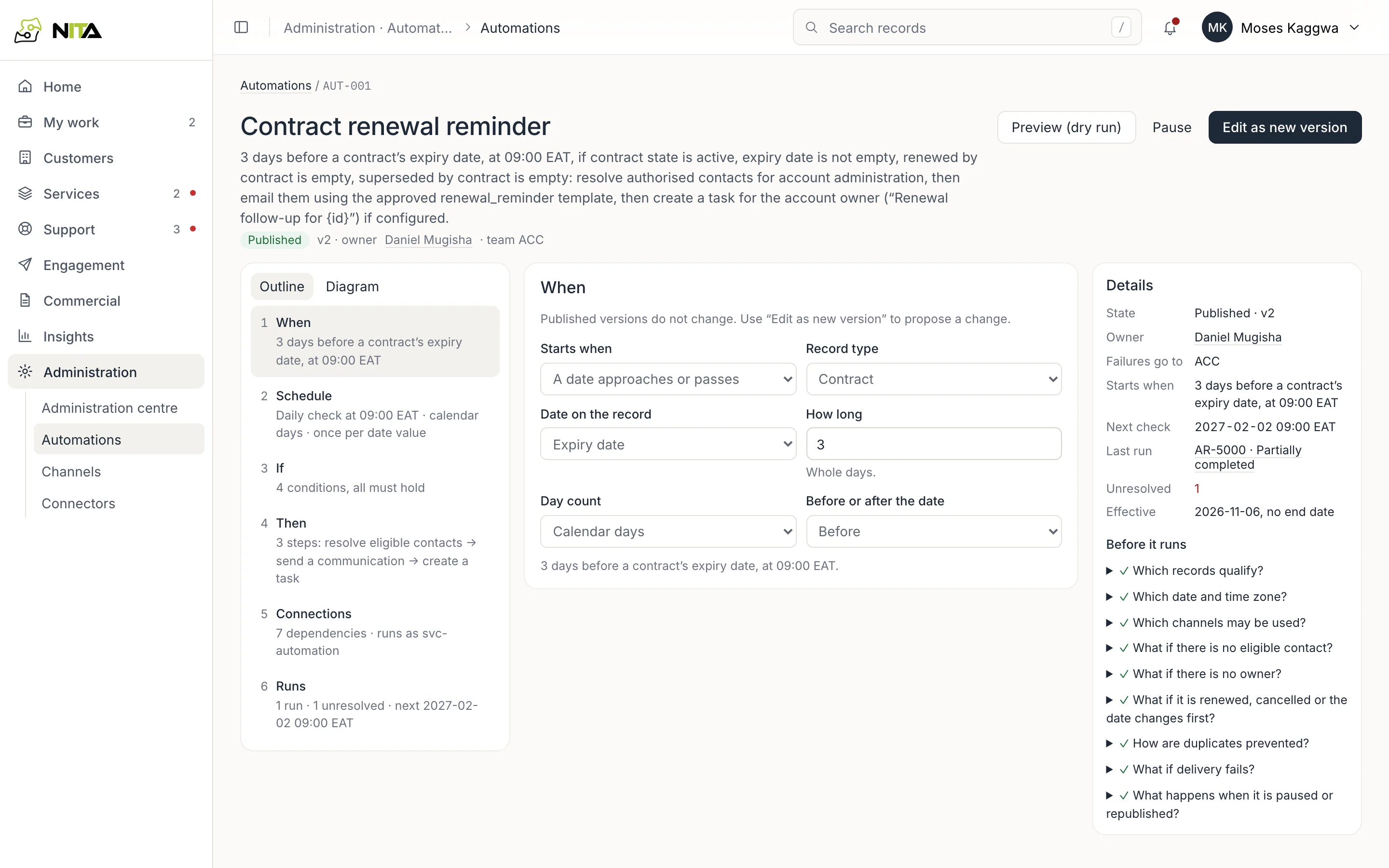
The side panel answers before publication: qualifying records, date and time zone, permitted channels, behaviour with no eligible contact or no owner, duplicate prevention, delivery failure, pause and republication.
Published versions are fixed. Edit as new version creates a draft; Preview (dry run) lists what a run would do without doing it.